Insights
Card Reader & POS System Cost in San Antonio
July 26, 2026
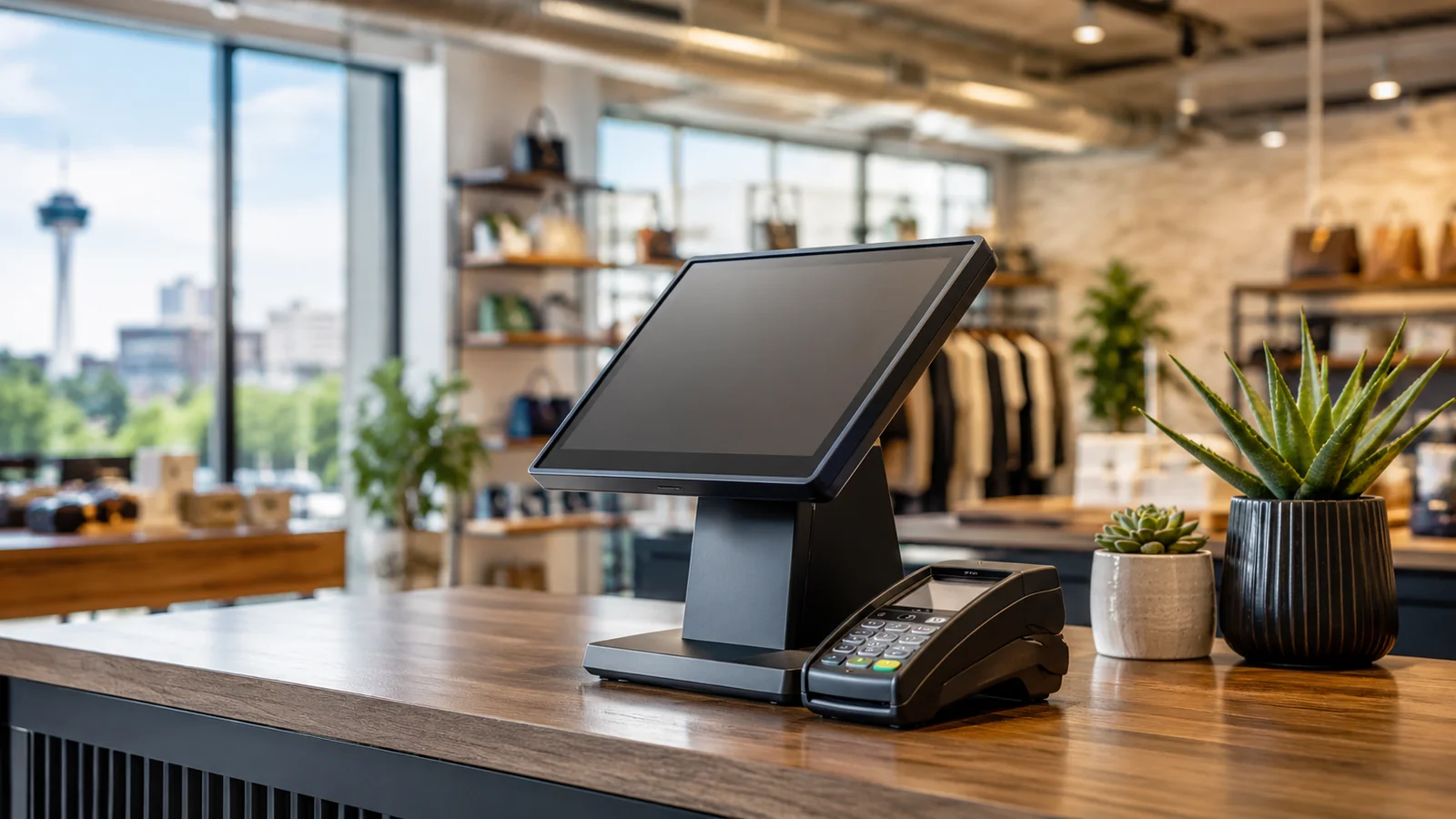
Installing a card reader or point-of-sale system is one of the first infrastructure decisions any new San Antonio retail, restaurant, or service business makes, and it is also one of the most misleading to shop for by hardware price alone. A free or low-cost card reader can end up costing far more over a year of operation than a pricier system, once processing rates, monthly software fees, and hidden charges are added up. This guide breaks down real card reader and POS hardware costs for San Antonio commercial spaces in 2026, what drives total cost of ownership beyond the sticker price, and what to budget for professional installation and wiring in a new or renovated space.
Quick Answer: A basic mobile card reader runs $0 to $100, often free from providers like Square or PayPal Zettle, while a countertop terminal starts around $299. Full POS systems with integrated hardware range from $300 to over $2,000 per station. Monthly software fees run $0 to $200 depending on features, and per-transaction processing fees typically run 2.6% plus 10 cents for in-person payments. For a new commercial buildout, budget separately for the low-voltage wiring, network drops, and mounting infrastructure a POS station needs, which is a construction cost distinct from the POS hardware and software itself.
Card Reader and POS Hardware Cost
Before comparing specific numbers, it helps to separate the decision into three distinct cost categories that are frequently bundled together in marketing material but should be evaluated independently: the physical hardware purchase or lease, the recurring software subscription, and the per-transaction processing fee. Treating these as one combined "POS cost" number makes it difficult to compare providers accurately, since a provider offering cheap hardware may recover that discount through a higher processing rate, and separating the three categories from the start makes an apples-to-apples comparison across providers far more achievable.
The entry-level tier of card reader hardware, a small dongle or contactless reader that pairs with a phone or tablet, typically costs between free and $100 per unit. This category, popularized by Square and similar mobile-first providers, is well suited to a business processing a modest transaction volume or one that needs mobility, such as a food truck, a pop-up retail booth, or a service business taking payment on-site at a customer's location rather than at a fixed counter.
A countertop terminal, a standalone device with its own screen and receipt printer built in, generally starts around $299 and can run several hundred dollars more depending on features like an integrated barcode scanner or a customer-facing display. A full POS system, meaning integrated hardware covering a register terminal, cash drawer, receipt printer, and card reader working together under one software platform, ranges from roughly $300 for a basic single-station retail setup to over $2,000 per station for a full-featured restaurant or multi-register retail configuration with kitchen display integration and advanced inventory management hardware.
Monthly Software and Subscription Fees
Several providers, including Square, SumUp, and PayPal Zettle, charge no monthly software fee for basic functionality, recovering their cost entirely through per-transaction processing fees instead. This model suits a smaller business or one just starting out, since it avoids a fixed monthly commitment regardless of sales volume. More full-featured POS software platforms, particularly those built for restaurants or multi-location retail with inventory management, staff scheduling, and loyalty program features, typically charge $0 to $165 or more per month depending on the specific feature tier selected.
A business should map its actual required feature set, rather than defaulting to the most expensive tier a sales representative recommends, since many small commercial operations genuinely do not need the advanced inventory forecasting or multi-location reporting features bundled into premium software tiers. Starting with a lower tier and upgrading later, once actual operational needs become clear after a few months in business, is a reasonable and common approach that avoids overpaying for unused capability during a business's early, uncertain months.
Processing Fees: The Real Long-Term Cost
Hardware cost is a one-time expense, but processing fees compound every single day a business operates, making them the dominant cost driver over any meaningful time horizon. In-person card processing fees typically run around 2.6 percent plus 10 cents per transaction, while online or card-not-present transactions run higher, often 2.9 percent plus 30 cents, reflecting the higher fraud risk associated with transactions where the physical card is not present and verified.
For a business processing a meaningful transaction volume, even a fraction of a percentage point difference in processing rate between competing providers can add up to hundreds or thousands of dollars annually. A business owner comparing providers should calculate the effective annual processing cost against their actual expected transaction volume and average ticket size, rather than comparing headline processing rates alone, since some providers offer lower percentage rates but higher per-transaction flat fees that favor businesses with larger average tickets, while others favor businesses with many small transactions.
The Construction Side: Wiring and Infrastructure
A POS station in a new or renovated commercial space needs more than the terminal itself; it needs a dedicated electrical outlet, often a low-voltage data drop for a wired internet connection (even where WiFi is available as backup), and in many restaurant and retail layouts, a built-in counter or millwork feature designed specifically to house the terminal, cash drawer, and receipt printer at an ergonomic height for staff. This infrastructure work is a construction cost, separate from the POS hardware and software cost, and it is frequently underestimated by business owners planning a new buildout who focus their budget conversation entirely on the POS vendor's price sheet.
Coordinating POS station placement with the broader electrical and low-voltage design during initial construction, rather than retrofitting after walls and counters are already finished, avoids the higher cost and disruption of running new wiring through completed finishes later. This is one of the areas where a design-build approach pays off directly: when the same team planning the space also knows where every POS station, kitchen display, and back-office terminal needs power and data, that infrastructure gets built in from the start rather than patched in as an expensive afterthought once the business realizes a terminal has no nearby outlet.
Multi-Station and Multi-Location Considerations
A business planning more than one register station, or more than one physical location across San Antonio, faces cost and infrastructure considerations that a single-station business does not. Most POS software platforms charge per station or per location, meaning the effective monthly software cost scales linearly with the number of terminals, which is worth modeling explicitly against expected revenue per station rather than assuming a multi-station discount will automatically apply. Some providers do offer meaningful volume discounts once a business commits to several stations or locations, and this is worth negotiating directly rather than accepting the standard per-station list price without asking.
Centralized reporting and inventory synchronization across multiple stations or locations is a genuine operational advantage of choosing one consistent POS platform from the start, rather than allowing different locations or departments within a business to select different systems independently over time. A business that starts with a single station and plans to expand should factor this multi-location capability into its initial platform choice, even if the near-term need is only a single register, since migrating an established location's transaction history and inventory data to a new platform later is considerably more disruptive than choosing a platform with room to grow from day one.
For businesses opening a second San Antonio location in an existing commercial corridor versus a newly built-out center, the infrastructure planning conversation differs meaningfully. An existing space with prior commercial tenants may already have adequate electrical and data infrastructure in place for POS stations, while a raw shell space requires that infrastructure planned and built from scratch as part of the broader buildout, another reason to loop the POS vendor's technical requirements into early conversations with a general contractor or design-build firm rather than treating it as a separate, later-stage decision.
Choosing a Provider for Your Business Type
Restaurant and bar operations generally benefit most from POS platforms purpose-built for food service, with features like course timing, table management, and kitchen display integration that a general retail POS platform does not offer natively. Retail operations, by contrast, benefit more from inventory management depth, barcode scanning efficiency, and integration with e-commerce platforms if the business also sells online. A service business, a salon, a repair shop, a professional office, often needs less specialized hardware but benefits from appointment scheduling and customer relationship features that neither restaurant nor pure retail platforms prioritize as heavily.
Matching provider to business type from the start avoids the disruptive and costly process of switching POS platforms after a year or two of operation once a mismatch between the chosen software's strengths and the business's actual daily workflow becomes clear. Requesting a live demo specific to the business's actual daily operations, rather than a generic sales walkthrough, is worth the time investment before signing a contract that often carries an early termination fee. Talking directly with another local business owner in the same category who already uses the platform being considered, where that kind of introduction is possible through a trade association or simply asking a neighboring business, often surfaces practical day-to-day friction points that a vendor's own sales demonstration is unlikely to volunteer.
Contract Terms to Watch For
Some POS and processing providers require a multi-year contract with an early termination fee, while others operate on a month-to-month basis with no long-term commitment. A business should read the contract term length and cancellation fee structure carefully before signing, since an attractively low advertised rate sometimes comes bundled with a lengthy contract commitment that becomes expensive to exit if the business's needs change or a better rate becomes available from a competitor later.
Equipment leasing is another contract structure worth scrutinizing closely. Some providers offer POS hardware on a lease rather than requiring an upfront purchase, which lowers the initial cash outlay but often results in paying significantly more than the hardware's outright purchase price over the life of the lease, plus a requirement to continue leasing payments even if the business stops using that specific provider's processing service. Comparing the total lease cost over its full term against the outright purchase price is a straightforward calculation worth doing before signing any equipment lease agreement, and asking a provider directly for that total lease cost figure, rather than only the monthly payment amount, makes the comparison far easier to evaluate honestly.
PCI Compliance and Security
Any business accepting card payments is required to maintain PCI DSS (Payment Card Industry Data Security Standard) compliance, a set of security requirements designed to protect cardholder data. Most modern POS providers handle the bulk of this compliance burden on their end through their processing infrastructure, but a business is still responsible for basic practices like keeping POS software updated, using strong passwords on any connected devices, and not storing card numbers in unsecured locations like spreadsheets or paper notes.
Some providers charge a separate monthly PCI compliance fee, while others include it in their standard pricing, and this fee should be factored into the total monthly cost comparison between providers rather than treated as a minor add-on discovered only after signing. A data breach involving unprotected cardholder information carries significant financial and reputational risk for a small business, making basic PCI compliance a genuine operational priority rather than a box-checking exercise. Beyond the direct financial cost of a breach, which can include fines, forensic investigation fees, and potential card network penalties, the reputational damage to a small local business from a publicized data breach can be difficult to recover from in a market as relationship-driven as San Antonio's, where word travels quickly among regular customers and neighboring businesses alike.
Internet Reliability and Backup Connectivity
A card reader or POS system that cannot process payments during an internet outage is more than an inconvenience; it is a direct revenue loss for every minute the system is down, particularly for a business without a workable cash-only fallback. Most modern POS platforms include some form of offline mode, allowing transactions to queue locally and process once connectivity restores, but the specifics vary meaningfully between providers, and offline mode capability should be a direct question during the vendor selection process rather than an assumed feature.
Businesses in commercial spaces with a single internet provider serving the building should seriously consider a backup connectivity option, such as a cellular failover device that automatically switches the POS system to a mobile data connection if the primary wired internet drops. This adds a modest recurring cost, typically a small monthly fee for the cellular backup plan, but it is inexpensive insurance against a scenario, an internet outage during a peak sales period like a weekend rush or a holiday shopping day, that can cost a business far more in lost sales than the backup connectivity fee over an entire year.
San Antonio's newer commercial developments generally have strong fiber and cable internet availability, but older buildings in some parts of the city, particularly older strip retail centers, may have more limited provider options or lower available bandwidth tiers. Confirming actual available internet service at a specific address before finalizing a lease, rather than assuming service will be adequate, is a step worth taking early in the site selection process for any business planning to rely heavily on cloud-based POS and inventory systems.
Hidden Costs First-Time Buyers Miss
Beyond the headline hardware price, monthly software fee, and processing rate, several smaller costs tend to catch first-time commercial buyers off guard. A setup or activation fee, sometimes waived through a promotional offer but often not disclosed clearly upfront, can run from zero to several hundred dollars depending on the provider and the complexity of the initial system configuration, particularly for a restaurant needing menu items programmed into the system before opening day.
Chargeback fees, charged when a customer disputes a transaction through their card issuer, typically run $15 to $25 per incident regardless of whether the dispute is ultimately resolved in the business's favor, and a business in a category prone to higher dispute rates, certain service businesses or high-ticket retail, should factor a reasonable estimate of chargeback frequency into their annual cost projection rather than treating it as a rare edge case. Batch or daily settlement fees, a small charge some processors apply each time the day's transactions are submitted for deposit, are another line item worth confirming exists or does not exist with a given provider before signing.
Receipt paper, cash drawer inserts, and other ongoing consumable supplies represent a small but genuinely recurring cost that a first-year budget should account for rather than overlook entirely. None of these individual line items is large in isolation, but a business that only budgets for the advertised hardware price and headline processing rate, without accounting for this collection of smaller recurring costs, will find its actual first-year POS expense running noticeably higher than the number originally quoted during the sales conversation.
Key Takeaways
- Basic mobile card readers run $0-$100; full POS systems range from $300 to over $2,000 per station.
- Processing fees, typically 2.6% plus 10 cents in-person, are the dominant long-term cost, not the hardware price.
- POS infrastructure (electrical, data drops, millwork) is a separate construction cost from hardware and software.
- Match provider to business type: restaurant, retail, and service businesses each benefit from different platform strengths.
- Read contract terms carefully; multi-year commitments and equipment leases can cost more than outright purchase over time.
Frequently Asked Questions
How much does a card reader cost for a small business in San Antonio?
Basic mobile card readers run $0-$100. Countertop terminals start around $299. Full POS systems range from $300 to over $2,000 per station depending on features.
What are typical processing fees for card payments?
In-person transactions typically run around 2.6% plus 10 cents. Online or card-not-present transactions run higher, often 2.9% plus 30 cents.
Do I need special wiring for a POS station in a new buildout?
Yes. A POS station needs a dedicated electrical outlet and typically a wired data drop, plus often a built-in counter feature, coordinated during construction rather than retrofitted later.
Should I lease or buy POS hardware?
Leasing lowers upfront cost but often costs significantly more than outright purchase over the lease term. Compare total lease cost to purchase price before signing.
Planning a new commercial space? Talk to Prestige 360 Design about building POS infrastructure into your buildout from the start.
Related Services